Page 1 of 4
3D Filletting
Posted: Tue Aug 08, 2023 10:01 am
by Serannelo
I have tried 40 times (I counted them) to get two 3D object to have a fillet between them. The vertical tapered column needs a fillet where it meets the horizontal cylinder.
1) they have been drawn as 3D solids,
2) They are all drawn off a common Z axis with the column having a Z axis appropriately placed when drawn.
3) I have followed the fillet instructions AND the Intellicad help notes.
4) The column and cylinder have been connected via the 3D Union command for solids.
5) the fillet is small enough to stay within the ends of the horizontal cylinder.
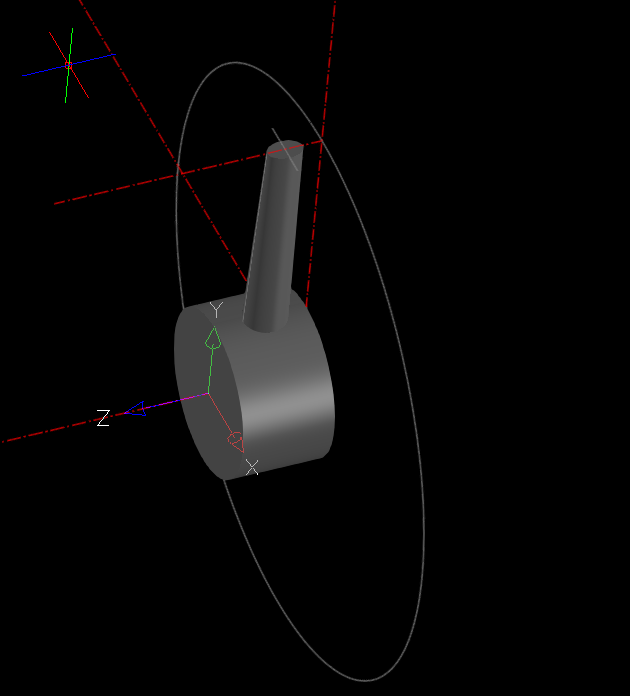
- 3D Fillet.PNG (39.12 KiB) Viewed 22601 times
Help please?
Thanks in advance.
Serannelo
Re: 3D Filletting
Posted: Tue Aug 08, 2023 10:16 am
by sln8458
Hi Serannelo,
You are trying to create a very complex fillet, between 2 intersecting cyliners, one which I never had sucess with.
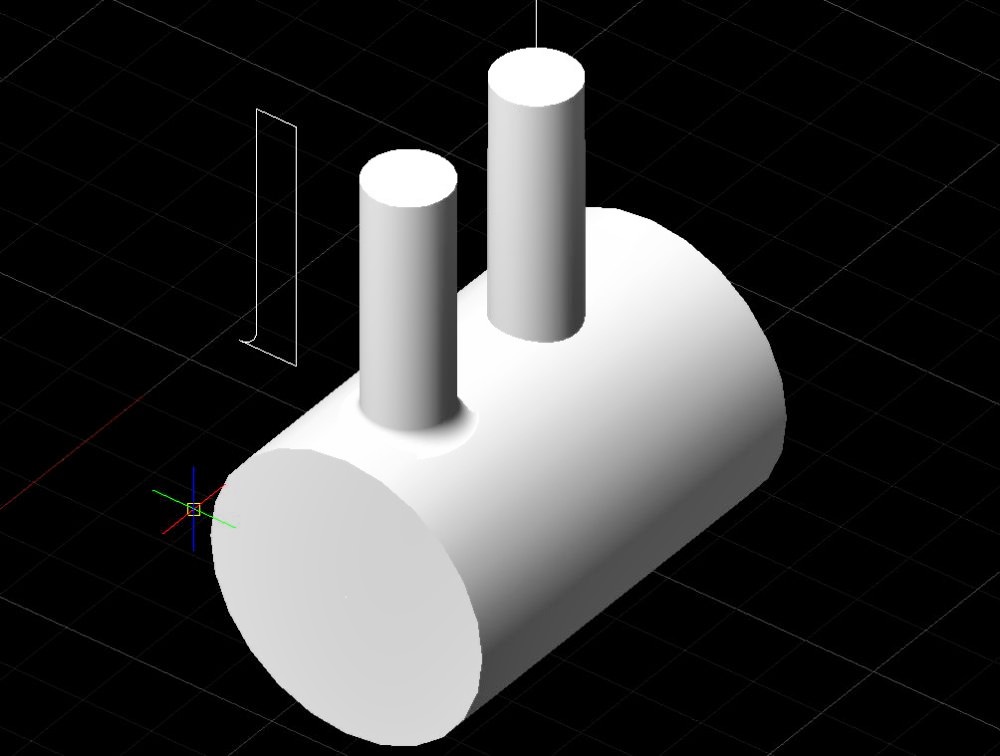
The I have done it to create the vertical cylinder as a rectangle but with the fillet on the bottom outer corner and the rotate that around the vertical 'Z' axis.
SteveN
Re: 3D Filletting
Posted: Tue Aug 08, 2023 10:25 am
by sln8458
something like this:
SteveN
Re: 3D Filletting
Posted: Tue Aug 08, 2023 11:23 am
by Serannelo
Hi, thank you for that but I don't need to have the cylinders perpendicular and whilst I take your input very much on board and yes I thought that by using a similar method I could achieve a solution it doesn't really work when the parts are not perpendicular nor when one part is a tapered elliptical column. . However, there must be a way to achieve a solution to my question. Thank you thought for your suggestions.
S.
Re: 3D Filletting
Posted: Tue Aug 08, 2023 12:11 pm
by Serannelo
Following a useful reply from Sin8458 I had a play with perpendicular cylinders and on a fresh drawing that was a one time entry for every line and circle I could perform a fillet operation using the fillet commands. Then tried an angled cylinder into the horizontal cylinder and performed a successful fillet between the tow using the fillet command. I then tried a tapered elliptical "cylinder" at an angle into the horizontal cylinder and again using the fillet commands got a good fillet. HOWEVER...... when I arrowed back to previous commands to try to put a larger fillet into place the fillet commands will not work. This partially would explain why I could not get a fillet before as the parts had been drawn , erased, changed and edited BEFORE I used the fillet command and could not get a fillet. There might be something in the commands that precludes editing a fillet once it is developed?
Can anyone add to this please? Thanks again Sin8458
S
Re: 3D Filletting
Posted: Wed Aug 09, 2023 2:07 am
by sln8458
Serannelo wrote: ↑Tue Aug 08, 2023 12:11 pm
Following a useful reply from Sin8458 I had a play with perpendicular cylinders and on a fresh drawing that was a one time entry for every line and circle I could perform a fillet operation using the fillet commands. Then tried an angled cylinder into the horizontal cylinder and performed a successful fillet between the tow using the fillet command. I then tried a tapered elliptical "cylinder" at an angle into the horizontal cylinder and again using the fillet commands got a good fillet. HOWEVER...... when I arrowed back to previous commands to try to put a larger fillet into place the fillet commands will not work. This partially would explain why I could not get a fillet before as the parts had been drawn , erased, changed and edited BEFORE I used the fillet command and could not get a fillet. There might be something in the commands that precludes editing a fillet once it is developed?
Can anyone add to this please? Thanks again Sin8458
S
Serannelo,
I have never managed to get this to work. The image I posted was from a new drawing and the fillet did not work with that one.
Could I ask you post a video of how you did it pls.
SteveN
Re: 3D Filletting
Posted: Wed Aug 09, 2023 4:37 am
by SPirou4D
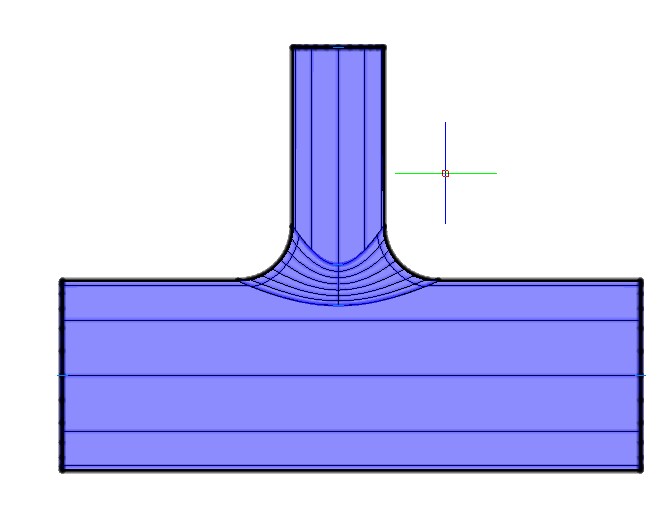
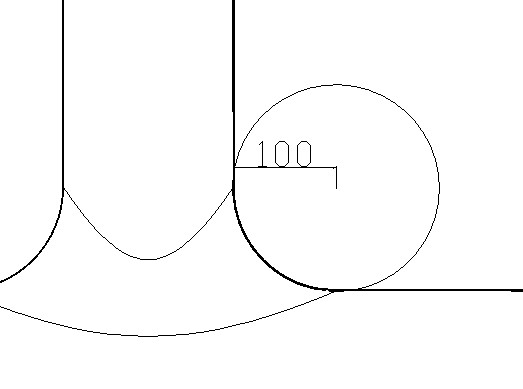
Here is my test:
Commande: _FILLETEDGE
Paramètres courants: mode = AJUSTER, rayon = 1.0000
Select an edge: [Chain/Loop/Radius]: 173.1377,-775.6853,115.0000
Select an edge: [Chain/Loop/Radius]: R
Rayon du raccord <1.0000>: 100
Select an edge: [Chain/Loop/Radius]: 195.5153,-795.8752,115.0000
Select an edge: [Chain/Loop/Radius]:
Press Enter to accept the fillet or [Radius]:
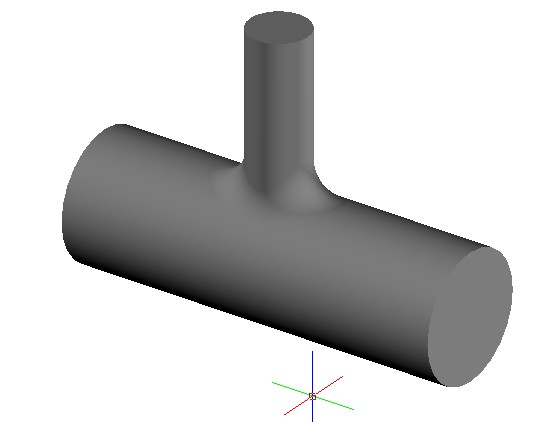
- ScreenShot_20230809123729.jpeg (15.79 KiB) Viewed 22570 times
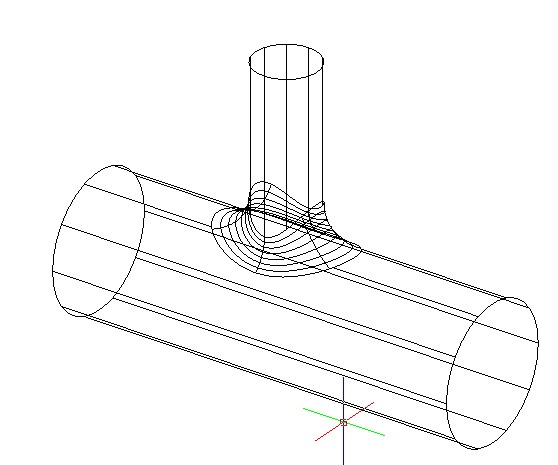
- ScreenShot_20230809123828.jpeg (40.94 KiB) Viewed 22570 times
- ScreenShot_20230809124010.jpeg (30.49 KiB) Viewed 22569 times
Re: 3D Filletting
Posted: Wed Aug 09, 2023 4:45 am
by SPirou4D
- ScreenShot_20230809124335.jpeg (15.39 KiB) Viewed 22566 times
Re: 3D Filletting
Posted: Wed Aug 09, 2023 4:56 am
by sln8458
Thanks for the info Patrick,
However all I get is a domed cylider for the first selection.
I must be getting too old for this!!

Re: 3D Filletting
Posted: Wed Aug 09, 2023 5:11 am
by SPirou4D
Re: 3D Filletting
Posted: Wed Aug 09, 2023 5:14 am
by SPirou4D
Commande: _LOFT
Current wire frame density: ISOLINES = 10.0000, Closed profiles creation mode = Solid
Select cross sections in lofting order or [POint/Join multiple edges/MOde]:-1249.6416,94.3915,115.0000 1 found, 1 total
Select cross sections in lofting order or [POint/Join multiple edges/MOde]:-2648.1068,1484.4956,115.0000 1 found, 2 total
Select cross sections in lofting order or [POint/Join multiple edges/MOde]:
2 cross sections selected
Enter an option [Guides/Path/Cross sections only/Settings] <Cross sections only>:
Commande: _union
Select entities to union: -2967.7160,-15.2055,115.0000
Entités dans l'ensemble: 1
Select entities to union: -3565.8590,123.1215,115.0000
Entités dans l'ensemble: 2
Select entities to union:
Commande:
Commande: _FILLETEDGE
Paramètres courants: mode = AJUSTER, rayon = 100.0000
Select an edge: [Chain/Loop/Radius]: -3151.8735,-152.0582,115.0000
Select an edge: [Chain/Loop/Radius]: -3110.0373,-108.6909,115.0000
Select an edge: [Chain/Loop/Radius]: -3110.0373,-108.6909,115.0000
Select an edge: [Chain/Loop/Radius]: -3110.0373,-108.6909,115.0000
Select an edge: [Chain/Loop/Radius]: -3046.9227,-107.1897,115.0000
Select an edge: [Chain/Loop/Radius]: -2580.2750,-1097.4169,115.0000
Select an edge: [Chain/Loop/Radius]:
Re: 3D Filletting
Posted: Wed Aug 09, 2023 5:18 am
by SPirou4D
I used a loft to create the 3D solid in oval shape !
And then union between the two 3D solids !
And then a fillet at the intersecting edge. And Voilà !
Re: 3D Filletting
Posted: Wed Aug 09, 2023 5:23 am
by sln8458
Sadly it does not work for me, hence my request for a video so I can watch the selection sequence.
Re: 3D Filletting
Posted: Wed Aug 09, 2023 6:03 am
by Serannelo
Thank you to both of you for your input. Spirou, I can do the examples you give but I found that when I created a tapered 3D elliptial solid with a non perpendicular axis to the mating part it would not fillet...HOWEVER......I just created a new drawing and it appeared to work. So ....I am a little bewildered.
Sin8458....I will try and do a video but I have never done one before so bear with me.
Thank you both.
S.
Re: 3D Filletting
Posted: Wed Aug 09, 2023 7:33 am
by Serannelo
I have a short video you can have in mpg format but I cannot attach to this message as I get a message saying unsupported file. Can I send direct to you?
Hope it helps
S