Can not "Save As"
Posted: Thu Apr 15, 2021 1:12 pm
I am having a problem saving a file as a new file.
I am able to open a current drawing, do modifications to it but I cannot save it as new file with a different name. If I click on "Save As" I get this screen. It gives me choice of what format to save the file in:
(Right click on the image URLs below and click on "Open in new window" to view the screen shots)
http://www.specialtysystemsllc.com/imag ... ad_001.jpg
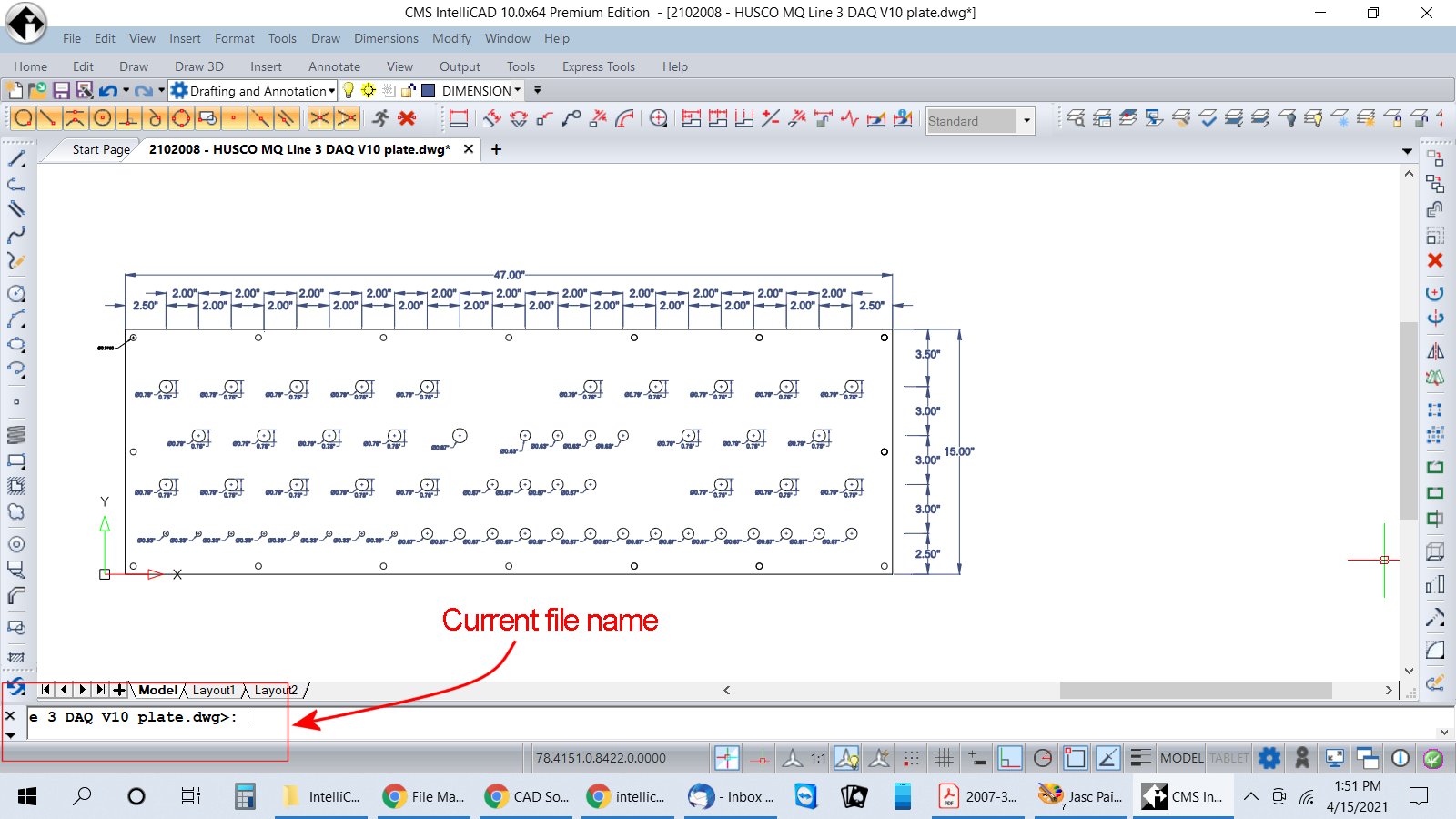
After I click on the format I get this screen. It has the current file location and I can't change it to a different file and name:
http://www.specialtysystemsllc.com/imag ... ad_002.jpg
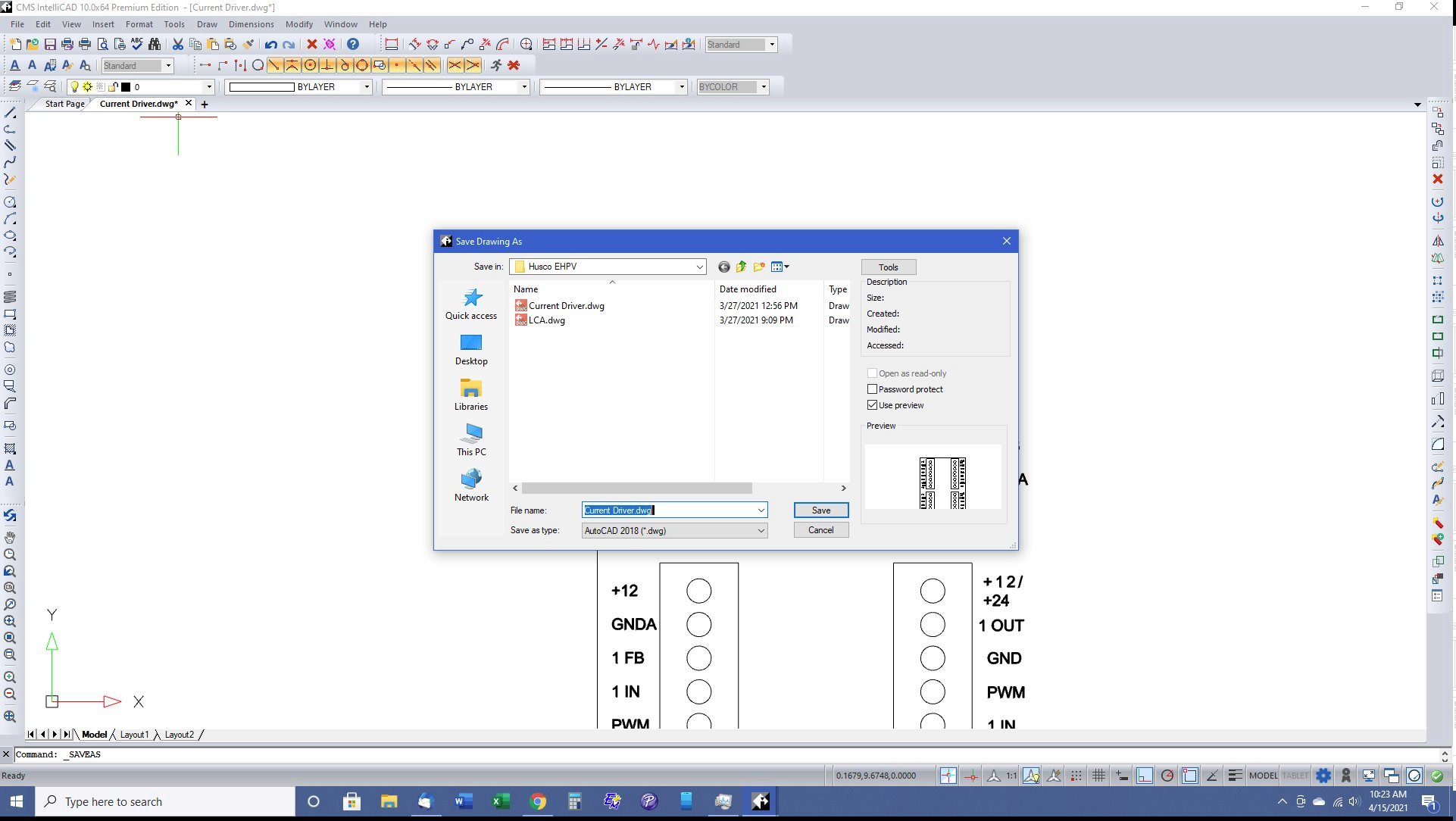
I have IntelliCAD PE on two machines and am only having this problem on this one machine. On the other machine when I do a "Save As" I get the window I would expect that gives me a choice of different locations to save the file:
http://www.specialtysystemsllc.com/imag ... ad_003.jpg
BTW, when I first fired up intelliCAD PE on this machine I got a notice that there were updates to the program. I was having this trouble along with another problem, in order to alter the drawing I had to click on an object, right click to have a choice of what I wanted to do, I'd click on a choice, delete, copy, move, etc and then I'd have to click on the object again. I uninstalled the current version and uploaded the update version from the intelliCAD website and it seemed to fix the need to double click on an object but the "Save As" problem was still there. This is a real PIA because in order to alter a drawing I have to go into the file with the drawing I want to use, copy that file into another folder and then open that file by clicking on and waiting for the intelliCAD program to fire up. I cannot open a new file through intelliCAD.
I am able to open a current drawing, do modifications to it but I cannot save it as new file with a different name. If I click on "Save As" I get this screen. It gives me choice of what format to save the file in:
(Right click on the image URLs below and click on "Open in new window" to view the screen shots)
- intellicad_001.jpg (210.15 KiB) Viewed 4658 times
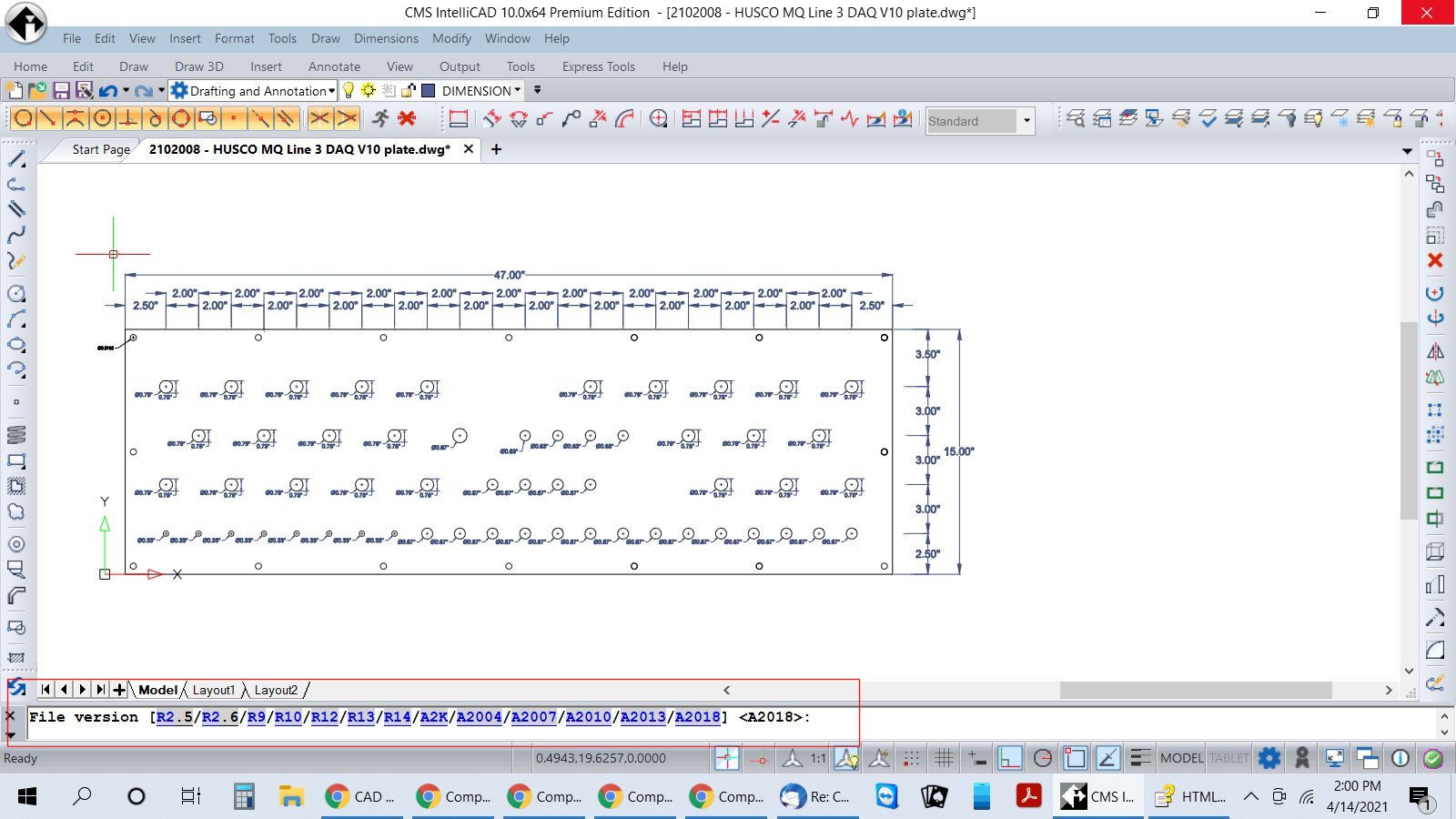
After I click on the format I get this screen. It has the current file location and I can't change it to a different file and name:
- intellicad_002.jpg (206.37 KiB) Viewed 4658 times
I have IntelliCAD PE on two machines and am only having this problem on this one machine. On the other machine when I do a "Save As" I get the window I would expect that gives me a choice of different locations to save the file:
- intellicad_003.jpg (201.26 KiB) Viewed 4658 times
BTW, when I first fired up intelliCAD PE on this machine I got a notice that there were updates to the program. I was having this trouble along with another problem, in order to alter the drawing I had to click on an object, right click to have a choice of what I wanted to do, I'd click on a choice, delete, copy, move, etc and then I'd have to click on the object again. I uninstalled the current version and uploaded the update version from the intelliCAD website and it seemed to fix the need to double click on an object but the "Save As" problem was still there. This is a real PIA because in order to alter a drawing I have to go into the file with the drawing I want to use, copy that file into another folder and then open that file by clicking on and waiting for the intelliCAD program to fire up. I cannot open a new file through intelliCAD.