Page 1 of 2

Radio Button Cluster Tile

Posted: Wed Aug 05, 2020 2:39 am
by sln8458
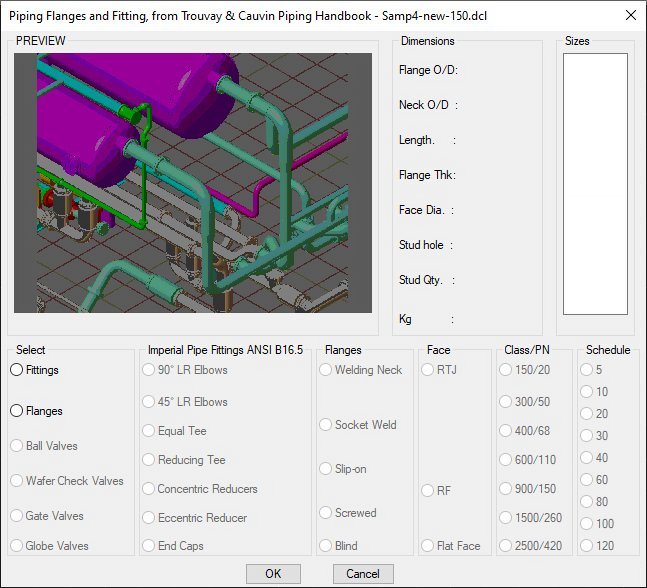
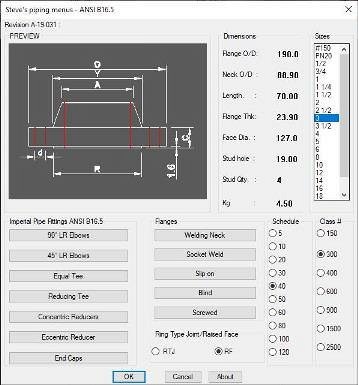
I am working on a new project where I have a 3 groups of radio buttons.
Flange Face (RTJ/RF)
Schedule (5-120)
Class (#150-#2500)
Image
.

While researching I found reference to a Radio Cluster Tile which would give a single value dependent of which radio button has been selected

Reply 1 here -> https://www.theswamp.org/index.php?topic=50977.0 <-
Unfortunately I can find no further info on the internet on how to implement this function.

Can anyone point me to some info on this function?

Thanks
Steve
Re: Radio Button Cluster Tile

Posted: Fri Aug 07, 2020 2:38 am
by sln8458
I scanned the internet for help on this and the nearest I came to was here
https://www.afralisp.net/dialog-control ... part-2.php

I downloaded the code and set about modifying to trial some code.

This is what I have,
Image

For each column I have set a variable.
I have then concatenated the results for each variable.

The goal for this section of the dialogue is to set the file name that will be loaded to fill the list box in the full dialogue.

I have set a (princ fname) to display the concatenation results.
The code appears to work,BUT
on the command line the concatenation appears to be one selection behind??

See attached files

Is it me?
Steve

Re: Radio Button Cluster Tile

Posted: Fri Aug 07, 2020 8:57 am
by QuanNguyen
Hi,

You should move the line: (setq fname (strcat flg face sch class ".dim"))
to below the line: (unload_dialog dcl_id)

And setting the init value for every group of radio buttons.

Re: Radio Button Cluster Tile

Posted: Fri Aug 07, 2020 11:37 am
by sln8458
Many thanks :D

SteveN

Re: Radio Button Cluster Tile

Posted: Wed Sep 02, 2020 4:42 am
by sln8458
I have been away from this project for a few weeks due to work, but back on it now and I have a new problem.

I have attached the lsp & dcl files.

How I was intending this part to work:
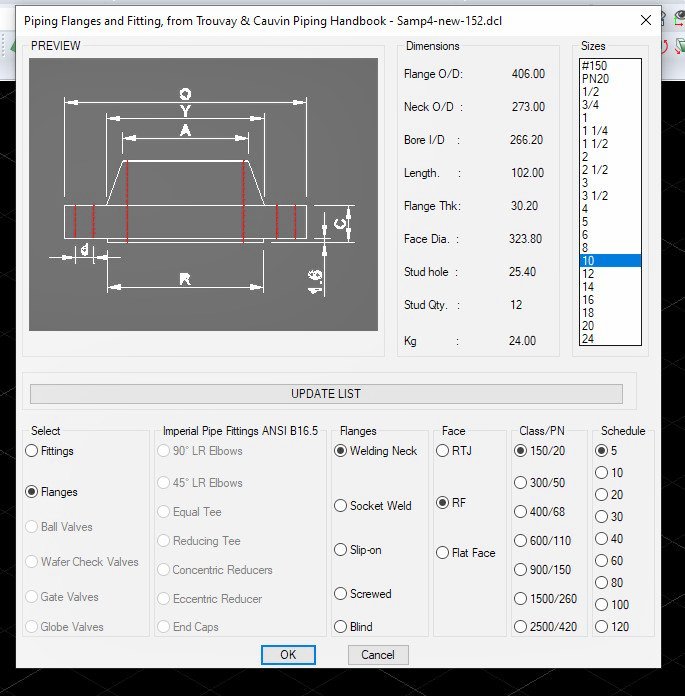
The dialogue give the user a choice of fittings or flanges, the user selects which option they want.
From their initial selection the remaining buttons are switched on/off as appropriate to leave the user with only those options that are relevant.
So selecting any flange option will turn off all of the fittings buttons and turn on the radio buttons for 'face' / 'schedule' / 'class'.
Or selecting any fitting turns the 'flange' buttons off and turns on the 'schedule' radio button.
In this way the user can not make an inappropriate selection. This appears to work as intended :)

These selections are concatenated to for a file name for later use.
(setq fname (strcat ftg flg fce sch clss ".dim"))


The problem.
When I select any 'fitting' option/choice followed by the schedule the fitting selected does not appear when the Ok button is pressed, but the schedule does.
Can anyone see the error in my code??
Any help will be appreciated.

S.

Re: Radio Button Cluster Tile

Posted: Wed Sep 02, 2020 8:54 am
by QuanNguyen
Hi,
You can add a radio_button with option: Imperial/Flanges then set action_tile for them.
Please refer the below image.

Re: Radio Button Cluster Tile

Posted: Wed Sep 02, 2020 9:20 am
by sln8458
Thanks.

I was just coming to a similar conclusion, as I have not found a way to switch the 'mode_tiles' AND set the Flange or Fitting Flags for the file names in one selection.
(yet :) )

Steve.

Re: Radio Button Cluster Tile

Posted: Fri Sep 04, 2020 9:52 am
by sln8458
This is how the dialogue currently stands,

Any comments appreciated.

One question regarding the DCL, how can I evenly space the buttons in the FACE column?
Image
.

But now onto the part I've been putting off, using the contents of my variable 'fname' to populate the list box

I can do it when using a 'key' value from the DCL (ldct1 is a key value)

Code: Select all

(defun OPEN_DIM_FILE ()
  (if (= NEWTILE "ldct1")
    (setq DIM_FILE (open (findfile "ldct1.dim") "r"))
Here is an example for one group of selections stored in 'fname'
"sw_rtj_sch_30#300.dim"

S.

Re: Radio Button Cluster Tile

Posted: Sat Sep 12, 2020 3:41 am
by sln8458
I'm making slow progress, but I have not been able to resolve this one problem.
Passing the value of variable 'fname' to the following code.

Code: Select all

  ;Find and open data file, *.dim
(defun OPEN_DIM_FILE ()
;    (setq DIM_FILE (open (findfile fname) "r"))
	(setq DIM_FILE (open (findfile "WN_RF_SCH_5_#150.DIM") "r"))
;	(setq DIM_FILE (open (findfile "wn_rf_sch_20_#300_.dim") "r"))  	;need variable 'fname' value here
 ) ;end OPEN_DIM_FILE
;   (princ (strcat "\nFilename after open_dim_file = " fname " "))
.
When I specify a specific file as in the code above (WN_RF_SCH_5_#150.DIM) everything works:
  • Command: samp4
    Filename after unload_dialog = "wn_rf_sch_5#150.DIM"
    Command: _.-insert
    ? to list blocks in drawing/BROWSE/EXPLORE/<Block to insert>: E:\CustomCad\Symbols\Piping\ANSI B16.9\wnrf-s-#150\WNRF_#150_SCH_5_10-3D.dwg
    Scale/X/Y/Z/Rotation/Multiple/<Insertion point for block>:
    Corner/XYZ/X scale factor <1.000000>:
    Y scale factor: < Equal to X scale (1.000000)>:
    Rotation angle for block <0>:
    Command: '_PMTHIST
.
However when I change to the code to

Code: Select all

 (setq DIM_FILE (open (findfile fname) "r"))
.
Nothing. :(

Any suggestions as to where I'm going wrong?
S.

Re: Radio Button Cluster Tile

Posted: Sat Sep 12, 2020 8:28 am
by QuanNguyen
Hi,
Please check if the value of variable 'fname' is not NIL.
DIALOG function.png
DIALOG function.png (6.52 KiB) Viewed 12595 times

Re: Radio Button Cluster Tile

Posted: Sat Sep 12, 2020 9:09 am
by sln8458
Hi
From your image:

Code: Select all

(princ (strcat "\nFilename after unload_dialogue = " fname " "))
reports:
  • Filename after unload_dialog = "wn_rf_sch_5#150.DIM"
This is from

Code: Select all

	(setq DIM_FILE (open (findfile "WN_RF_SCH_5_#150.DIM") "r"))
in my previous post.

S.

Re: Radio Button Cluster Tile

Posted: Sat Sep 12, 2020 10:21 am
by sln8458
These will help if you are running intellicad to test the lisp

S.

Re: Radio Button Cluster Tile

Posted: Sat Sep 12, 2020 5:50 pm
by QuanNguyen
Here's the result of samp4 Lisp.
samp4.png
samp4.png (31.99 KiB) Viewed 12582 times

Re: Radio Button Cluster Tile

Posted: Sun Sep 13, 2020 1:38 am
by sln8458
Did you have OPEN_DIM_FILE set as below?

Code: Select all

(defun OPEN_DIM_FILE ()
    (setq DIM_FILE (open (findfile fname) "r"))
;	(setq DIM_FILE (open (findfile "WN_RF_SCH_5_#150.DIM") "r"))
;	(setq DIM_FILE (open (findfile "wn_rf_sch_20_#300_.dim") "r"))
 ) ;end OPEN_DIM_FILE
If yes, that is the same problem I have.

If you reset to

Code: Select all

(defun OPEN_DIM_FILE ()
;    (setq DIM_FILE (open (findfile fname) "r"))
	(setq DIM_FILE (open (findfile "WN_RF_SCH_5_#150.DIM") "r"))
;	(setq DIM_FILE (open (findfile "wn_rf_sch_20_#300_.dim") "r"))
 ) ;end OPEN_DIM_FILE
and place the dim files from the zip file posted into the search path and run lisp again you should see the expected result.
Image
S.

Re: Radio Button Cluster Tile

Posted: Sun Sep 13, 2020 8:09 am
by QuanNguyen
As I suggested above, please check if the file_name is existing.

Code: Select all

  ;Find and open data file, *.dim
(defun OPEN_DIM_FILE ()
  (if (findfile fname)
    (setq DIM_FILE (open (findfile fname) "r"))
    (alert "File not found")	)					;need variable 'fname' value here)
;	(setq DIM_FILE (open (findfile "WN_RF_SCH_5_#150.DIM") "r"))
;	(setq DIM_FILE (open (findfile "wn_rf_sch_20_#300_.dim") "r"))  	;need variable 'fname' value here
 ) ;end OPEN_DIM_FILE